
Download IP TV Player APK – Free Android TV Streaming Tool, Live Stream Recorder, M3U Playlist Support
Overview
IP TV Player APK is a free Android application developed by IvanovIN, designed to deliver live television content directly to mobile devices. The software enables users to stream multiple channels simultaneously by supporting the creation and management of multiple playlists. This functionality is particularly useful for viewers who want to access diverse content sources without switching between different apps.
The application is tailored for consumers seeking a flexible and accessible way to watch live TV on smartphones and tablets. Its core purpose is to simplify the process of finding, organizing, and viewing live streams through a unified interface. Real-world usage scenarios include watching sports events, news broadcasts, or international channels on the go.
The app’s built-in player supports a wide range of video formats, including MP4, MOV, AVI, and MKV, ensuring broad compatibility with common media files. It also allows users to record live streams, offering a convenient way to save content for later viewing. The developer did not provide additional system requirements or details about the app’s background beyond the name and platform.
Key Features & Capabilities
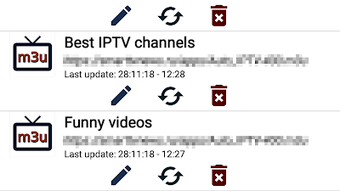
- Multi-Playlist Management: Users can create and switch between multiple playlists, enabling access to different sets of channels based on preferences or content type.
- Custom Playlist Integration: The app supports adding user-defined playlists by entering an M3U playlist URL, allowing access to personalized or third-party channel collections.
- Built-in Media Player: A native player handles various video formats such as MP4, MOV, AVI, and MKV, ensuring broad compatibility with streamed and local media files.
- Live Stream Recording: Users can record live broadcasts directly within the app, preserving content for future viewing without relying on external tools.
- Integrated Web Browser: The app includes a built-in browser to search for new channels and playlists online, enhancing discoverability and content access.
- Audio and Video Switching: The player allows users to switch between available audio tracks and video streams, improving accessibility and viewing flexibility.
- Volume and Quality Control: Users can adjust volume levels and select video quality settings to optimize playback based on network conditions and device capabilities.
These features collectively provide a streamlined experience for users who want to manage and enjoy live TV content on Android devices. For example, a user could maintain separate playlists for sports, news, and entertainment, switching between them instantly. The ability to record live events ensures no missed moments, while the browser feature helps users stay updated with new content sources. The app is especially beneficial for individuals without access to traditional cable or satellite services, offering a low-cost alternative for live viewing.
User Interface, Workflow & Performance
The application features a clean, intuitive interface designed for ease of use, even for beginners. Navigation is centered around a list-based layout, with channels displayed on the right-hand side of the screen, making selection straightforward. The workflow is linear: users can browse available channels, add favorites, or import custom playlists via URL.
The app’s design emphasizes accessibility, minimizing the need for advanced technical knowledge. Performance observations are based on general software behavior patterns, as exact performance details were not specified. The developer did not provide information on CPU or RAM usage, so actual resource consumption during playback cannot be confirmed.
Stability is expected to be consistent with standard Android applications, but real-world behavior may vary depending on device hardware and network conditions. The app’s reliance on external streams means playback quality is influenced by the source’s reliability and internet speed. The built-in player is designed to handle various formats efficiently, but actual playback smoothness depends on the device’s decoding capabilities.
Compatibility & System Requirements
IP TV Player APK is designed for Android devices and is available as a downloadable APK file. The operating system compatibility is limited to Android, though specific version requirements were not listed. The installation size is not specified, so users should expect variable download and storage needs depending on the device and content.
The developer did not provide exact system requirements, including minimum RAM, processor, or storage capacity. As a result, compatibility with specific devices cannot be confirmed. Users are advised to ensure their Android device supports APK installations and has sufficient storage space.
The app is intended for use on smartphones and tablets, but exact hardware compatibility remains unclear. The absence of detailed technical specifications means users should test the application on their device to confirm functionality.
Pros and Cons
Pros
- Free to download and use with no subscription fees
- Supports multiple playlists for organized viewing
- Allows recording of live streams for later playback
- Integrated browser for discovering new channels and playlists
- Wide format support including MP4, MOV, AVI, and MKV
- Simple interface suitable for beginners
- Custom playlist import via M3U URLs
Cons
- No official app store availability; requires APK installation
- Exact system requirements not provided
- Performance and resource usage details not disclosed
- Relies on external streams, so quality depends on source and network
- Security of third-party playlists not verified by the developer
- Updates may not be regularly released
FAQ Section
Is IP TV Player APK safe to download and install?
The app is available as an APK file, which means it is not distributed through official app stores. Users should only download the file from trusted sources to reduce the risk of malware. The developer did not provide security certifications or scanning reports.
Can I use IP TV Player APK on my iPhone or iPad?
No, the application is designed exclusively for Android devices. There is no version available for iOS or other platforms.
How do I add my own playlist to the app?
You can add a custom playlist by entering the M3U playlist URL in the app’s settings or playlist management section. The app will then load the channels from that source.
Does the app require an internet connection to work?
Yes, the app relies on external streaming sources. A stable internet connection is required to view live channels and access playlists.
Can I watch recorded streams offline?
Yes, once a live stream is recorded, the file is saved locally on the device and can be played back without an internet connection.
Final Thoughts + CTA
IP TV Player APK offers a practical and accessible solution for Android users seeking to stream live TV content on their mobile devices. With support for multiple playlists, custom M3U integration, live recording, and a built-in browser, the app delivers a comprehensive set of tools for content discovery and management. Its user-friendly interface makes it suitable for both casual viewers and tech-savvy users.
While the lack of official app store distribution and missing system requirements may raise concerns for some, the app’s core functionality remains strong and free of cost. For individuals looking to replace traditional TV services or access global content on the go, this tool provides a flexible and efficient option. The ability to record live broadcasts adds significant value for users who want to avoid missing important events.
Download IP TV Player APK now to start streaming live TV on your Android device.





.png)

